
Your Chuttamalle AI video. Made with respect.
Choose a template or upload your video. Select 3–10 seconds and create a respectful AI face or person swap with authorized photos.
Creativity, with carePick your moment
10-second editVideo safety checks run on your selected clip only after you confirm generation with enough credits. Uploading, trimming and previewing do not trigger checks.
Create your Chuttamalle video
Choose who to replace. Add one photo or make it a duo.
Your face in the moment. Keep the original outfit, movement and scene.
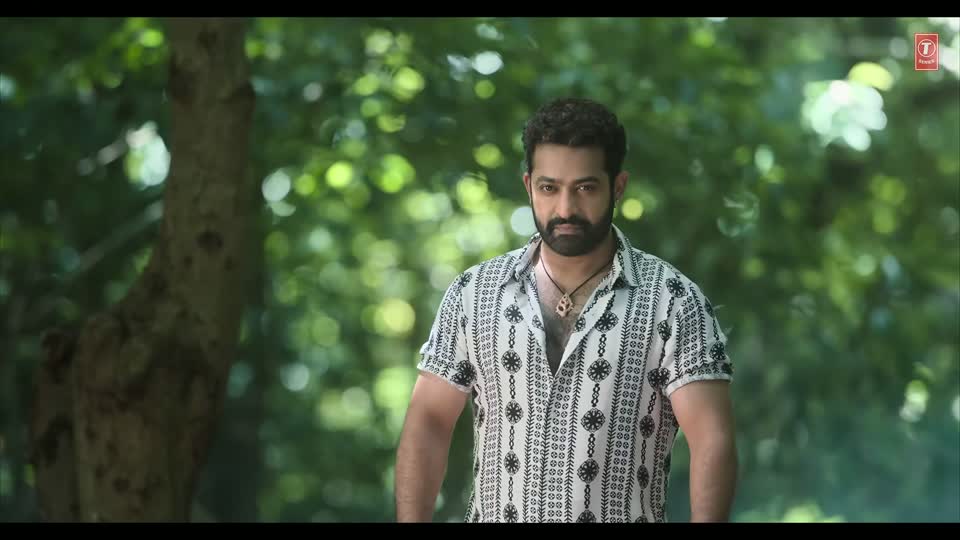 Chuttamalle dance template03:26 — 03:36 · 10 seconds
Optional · keep original if empty
Optional · keep original if empty
JPG, PNG, WebP · up to 10 MB per photo
Photos stay on your device until you confirm generation.
One credit per second. Failed edits return their credits.
Keep the joy.
Respect the person.
AI can put you inside a beautiful moment.
It should never take someone’s dignity out of it.
No pornography. No sexual deepfakes. No NSFW.
This studio is for dance, music and respectful fan creativity. Nudity, sexualized edits, non-consensual imagery and sexual content involving minors are prohibited.
Generation and screening are not yet available. Provider integration is required before reference photos and uploaded clips can be screened and processed on this site.
Make something beautiful.
Build in the safeguards.
If your product creates images or videos, make content screening part of the flow. Check the input. Check the output. Don’t release a result while its review is unresolved.
NSFW image screening
Screen reference photos for nudity and sexual content before they enter your generation workflow.
NSFW video screening
Review the generated clip, too. Safe reference photos don’t guarantee a safe generated video.
Automated screening can miss content or flag safe content. Video screening samples frames; use it alongside reviewed templates, appropriate rules and human review when needed.
Safer creation should be easier to build.
Input and output reviews require a configured provider. Explore the review workflow and settings before processing media.Explore the NSFW Filter →
Before your first dance.
Can I upload a video and choose its length?+
Yes. Use our Chuttamalle template or upload an MP4/MOV up to 100 MB. Choose 3–10 seconds, then drag to select your starting point. Custom videos currently support one main person. The selected clip costs one credit per second.
What’s the difference between face and person swap?+
Face swap focuses on your facial identity while keeping the source outfit and scene. Person swap uses a reference to guide the whole person’s appearance. The final likeness and movement depend on the selected clip and the model.
When is my photo uploaded?+
Selecting a photo creates a local preview. When you confirm generation, your photo is uploaded and screened before it can be used. Each edit uses one credit per selected second.
How will inappropriate content be handled?+
Pornography, nudity, sexual deepfakes and NSFW creations are prohibited. Uploaded reference photos are screened. Flagged or unresolved photos cannot enter generation. Newly uploaded source clips also require a completed video safety review. Generated outputs are not automatically screened.
A good edit starts with context.
Chuttamalle AI song: the original music and your video edit
Looking for the Chuttamalle song, an AI song video, or a way to make your own edit? Start with the original music, then choose the kind of video you want to create.
Read guide →Video editing guideMake a Chuttamalle video edit with your authorized photo
Choose your moment, decide who to replace, and create a short AI face or person swap. The studio supports 3–10 second edits at one credit per selected second.
Read guide →AI video explainedChuttamalle AI video explained: original footage, altered clips and consent
Searches for Chuttamalle AI video and Janhvi Kapoor’s viral video can mix original-song footage with reporting about an abusive AI alteration. Here is how to keep those meanings separate.
Read guide →